Designing an AI-Powered Document Intelligence Workflow
(Note : Due to confidentiality and intellectual property restrictions, certain product details, visuals, workflows, and business information have been modified or generalized. This case study focuses on the design process, decision-making, and problem-solving approach rather than proprietary implementation details.)
B2B SAAS AI
MY ROLE
Product designer
TEAM
Chief Product Officer (Stakeholder & Product Direction)
Engineering Team
Product Design Team
OUTCOME
Shipped to production
Adopted within the product ecosystem
Integrated into multiple workflows and products
A brief intro - AI Summation Tool
Insurance professionals often review documents spanning hundreds or even thousands of pages, making it difficult to quickly identify the information needed for decision-making.
I designed an AI-powered document intelligence workflow that helps users generate tailored summaries, refine them through natural language, and reuse successful workflows across future documents.
The solution was shipped to production and later adopted across multiple products within the platform.

The Problem
Reviewing insurance submissions wasn't the real problem.
Insurance professionals receive documents that can span hundreds or even thousands of pages.
At first glance, summarization seemed like the obvious solution.
But as I explored the problem further, I realized summarizing documents alone wouldn't actually solve users' workflow.
As I explored the problem, three questions stood out.
What happens after AI generates the first summary?
→ Users continue refining it until it matches their needs.
What happens when the next document arrives?
→ They repeat many of the same instructions from scratch.
Where was most of the time actually being spent?
→ Not creating the first summary, but repeatedly refining and recreating it.
This shifted the problem from
"How can AI summarize documents?"
to
"How can AI support the entire document review workflow?"
Key Challenges
01
Understanding takes too long
Large submissions made it difficult to quickly identify relevant information.
02
One summary wasn't enough
Users repeatedly refined summaries as their needs evolved.
03
Successful workflows couldn't be reused
The same instructions had to be recreated for every new document.
🔍 Search
📑 Extraction
⚠️ Risk Analysis
💬 AI Assistant
⭐ Summarization
The Opportunity
When exploring how AI could support document-heavy workflows, several directions were possible.
Possible Opportunities
Why Summarization?
Before users can
Search for specific information
Investigate potential risks
Ask meaningful questions
they first need to understand what a document contains.
That made summarization the highest-leverage place to begin.
Starting Point in the Workflow

Designing the Workflow
Summarization solved the initial challenge of understanding large documents.
But one summary wasn't enough.
Users needed to refine outputs, revisit previous work, and reuse successful approaches across documents.
That shifted the challenge from designing a summarization feature to designing an end-to-end workflow.

Document
Understand
Refine
Reuse
Organize
The realization
Users don't generate one summary and move on.
They continuously refine, compare, and reshape it until it meets their needs.
Design Decision #1
Separate Instructions from Output
THE PROBLEM
Every regenerated summary created another long message.
Finding the latest version meant scrolling through multiple generations and comparing outputs manually.
THE DECISION
I separated instructions from outputs.
The conversation became a workspace for refinement, while the summary became a living document that continuously updated.
Design Decision #2
Reduce Prompt Friction Through Direct Manipulation
THE QUESTION
“Why should users remember paragraph numbers just to edit two lines?”

Prompt based editing
❌ High cognitive load

Direct Manipulation
Lower Cognitive Load
OUTCOME
Editing became faster because users interacted directly with content instead of describing where edits should happen.
THE DECISION
I replaced prompt-based editing with direct manipulation.
Users highlight content and immediately rephrase, shorten, elaborate, or remove text in context.
THE PROBLEM
Editing required users to describe where changes should happen before they could make them. As summaries grew longer, prompts became slower.
THE EXPLORATION
Design Decision #3
From Manual Templates to Smart Template Extraction
THE QUESTION
“Users create similar summaries every day. How can we reuse that work without asking them to start from scratch?”
THE DECISION
Rather than asking users to manually create templates, I designed a workflow where AI extracts reusable summarization parameters from successful conversations.
Users stay in control by reviewing, editing, removing, or adding parameters before saving the template.
OUTCOME
A successful AI interaction became a reusable workflow instead of a one-time conversation.
THE PROBLEM
Underwriters often follow similar summarization strategies across multiple documents.
Manual templates seemed like the obvious answer, but creating and maintaining them added another task to an already document-heavy workflow.

Manual Template Creation
Users manually create a reusable template.
File Template
Gives users complete control
Gives users complete control
Requires users to know exactly what to write
Hard to maintain and keep consistent
Template Name
Instructions
• Focus on financial risks
• Ignore legal clauses
• Maximum 300 words
• Mention policy limits
Executive Summary
Save Template
Decide parameters/fileds
Picking preset fields
Save
I have to manually create everything?
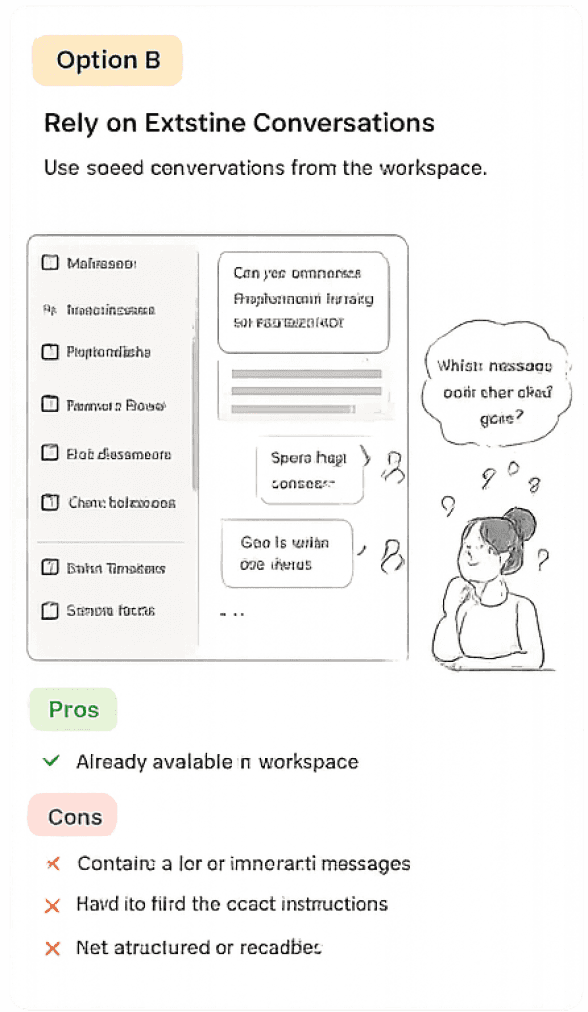
Reuse Conversation History
Reuse previously generated summaries and conversations from the workspace.
Conversation List
Executive Summary
Quarterly Report
Research Notes
Client Overview
Risk Assessment
Policy Review
Claims Analysis
Can you summarize this report focusing on financial risks?
Sure. Here is a summary...
Go a little deeper into
the technical findings.
Which conversation had the summary style I need?
Already available in the workspace
Contains lots of unrelated conversation
Users still need to find the useful instructions
Difficult to reuse consistently

Smart Template Extraction
AI extracts the summarization strategy from the conversation and converts it into a reusable template.
Extracted Parameters
Summary Type
Word Limit
Focus Areas
Exclude / Skip
Tone / Style
Professional Summary
Maximum 700 words
• dbbdvsdvhsbd
• jsdjsds
• jjjasgasgagsga
Legal Boilerplate
Professional & Concise
AI Conversation
The extracted parameters look good.
Captures the actual summarization strategy
Structured and reusable across documents
Users can review and edit extracted fields
THE EXPLORATION
Design Principles Behind the Product
Keep users in control
Reduce cognitive load
Make successful work reusable
Separate conversation from deliverables
Design AI as a workflow, not a feature
Reflection
💡 What changed for me
This project changed how I think about designing AI products. AI isn't just about generating outputs, it's about designing workflows that help people understand, refine, and reuse information.
🚧 Biggest Constraint
I didn't have direct access to end users. Instead, I worked closely with product leadership and stakeholders, learning to ask better questions and validate decisions through continuous collaboration.
🌱 What I Learned
Working within constraints pushed me to think more critically, explore multiple directions, and make design decisions with incomplete information rather than waiting for perfect certainty.
🔭 What's Next
If I could continue this project, I'd spend more time observing users interact with the workflow. Seeing where they hesitate, adapt, or build trust would uncover insights stakeholder discussions alone can't reveal.
Impact
Outcome
Shipped to production
Adopted across multiple enterprise products
Integrated into existing AI workflows
Product Impact
Reduced repetitive prompting through reusable templates
Introduced direct summary editing for faster refinement
Turned one-time AI interactions into reusable workflows
What I Could Validate
While I didn't have access to usage metrics, the solution was adopted beyond its initial use case, demonstrating value across multiple workflows and laying the foundation for future AI capabilities.
This project reminded me that great product design isn't about having every answer from the start. It's about staying curious, embracing constraints, asking better questions, and continuously refining ideas alongside the people building the product.
✨
Designing an AI-Powered Document Intelligence Workflow
(Note : Due to confidentiality and intellectual property restrictions, certain product details, visuals, workflows, and business information have been modified or generalized. This case study focuses on the design process, decision-making, and problem-solving approach rather than proprietary implementation details.)
B2B SAAS AI
MY ROLE
Product designer
TEAM
Chief Product Officer (Stakeholder & Product Direction)
Engineering Team
Product Design Team
OUTCOME
Shipped to production
Adopted within the product ecosystem
Integrated into multiple workflows and products
A brief intro - AI Summation Tool
Insurance professionals often review documents spanning hundreds or even thousands of pages, making it difficult to quickly identify the information needed for decision-making.
I designed an AI-powered document intelligence workflow that helps users generate tailored summaries, refine them through natural language, and reuse successful workflows across future documents.
The solution was shipped to production and later adopted across multiple products within the platform.

The Problem
Reviewing insurance submissions wasn't the real problem.
Insurance professionals receive documents that can span hundreds or even thousands of pages.
At first glance, summarization seemed like the obvious solution.
But as I explored the problem further, I realized summarizing documents alone wouldn't actually solve users' workflow.
As I explored the problem, three questions stood out.
What happens after AI generates the first summary?
→ Users continue refining it until it matches their needs.
What happens when the next document arrives?
→ They repeat many of the same instructions from scratch.
Where was most of the time actually being spent?
→ Not creating the first summary, but repeatedly refining and recreating it.
This shifted the problem from
"How can AI summarize documents?"
to
"How can AI support the entire document review workflow?"
Key Challenges
01
Understanding takes too long
Large submissions made it difficult to quickly identify relevant information.
02
One summary wasn't enough
Users repeatedly refined summaries as their needs evolved.
03
Successful workflows couldn't be reused
The same instructions had to be recreated for every new document.
🔍 Search
📑 Extraction
⚠️ Risk Analysis
💬 AI Assistant
⭐ Summarization
The Opportunity
When exploring how AI could support document-heavy workflows, several directions were possible.
Possible Opportunities
Why Summarization?
Before users can
Search for specific information
Investigate potential risks
Ask meaningful questions
they first need to understand what a document contains.
That made summarization the highest-leverage place to begin.
Starting Point in the Workflow

Designing the Workflow
Summarization solved the initial challenge of understanding large documents.
But one summary wasn't enough.
Users needed to refine outputs, revisit previous work, and reuse successful approaches across documents.
That shifted the challenge from designing a summarization feature to designing an end-to-end workflow.

Document
Understand
Refine
Reuse
Organize
The realization
Users don't generate one summary and move on.
They continuously refine, compare, and reshape it until it meets their needs.
Design Decision #1
Separate Instructions from Output
THE PROBLEM
Every regenerated summary created another long message.
Finding the latest version meant scrolling through multiple generations and comparing outputs manually.
THE DECISION
I separated instructions from outputs.
The conversation became a workspace for refinement, while the summary became a living document that continuously updated.
Design Decision #2
Reduce Prompt Friction Through Direct Manipulation
THE QUESTION
“Why should users remember paragraph numbers just to edit two lines?”

Prompt based editing
❌ High cognitive load

Direct Manipulation
Lower Cognitive Load
THE DECISION
I replaced prompt-based editing with direct manipulation.
Users highlight content and immediately rephrase, shorten, elaborate, or remove text in context.
OUTCOME
Editing became faster because users interacted directly with content instead of describing where edits should happen.
THE PROBLEM
Editing required users to describe where changes should happen before they could make them. As summaries grew longer, prompts became slower.
THE EXPLORATION
Design Principles Behind the Product
Keep users in control
Reduce cognitive load
Make successful work reusable
Separate conversation from deliverables
Design AI as a workflow, not a feature
Reflection
💡 What changed for me
This project changed how I think about designing AI products. AI isn't just about generating outputs, it's about designing workflows that help people understand, refine, and reuse information.
🚧 Biggest Constraint
I didn't have direct access to end users. Instead, I worked closely with product leadership and stakeholders, learning to ask better questions and validate decisions through continuous collaboration.
🌱 What I Learned
Working within constraints pushed me to think more critically, explore multiple directions, and make design decisions with incomplete information rather than waiting for perfect certainty.
🔭 What's Next
If I could continue this project, I'd spend more time observing users interact with the workflow. Seeing where they hesitate, adapt, or build trust would uncover insights stakeholder discussions alone can't reveal.
Impact
Outcome
Shipped to production
Adopted across multiple enterprise products
Integrated into existing AI workflows
Product Impact
Reduced repetitive prompting through reusable templates
Introduced direct summary editing for faster refinement
Turned one-time AI interactions into reusable workflows
What I Could Validate
While I didn't have access to usage metrics, the solution was adopted beyond its initial use case, demonstrating value across multiple workflows and laying the foundation for future AI capabilities.
This project reminded me that great product design isn't about having every answer from the start. It's about staying curious, embracing constraints, asking better questions, and continuously refining ideas alongside the people building the product.
✨
Designing the Workflow
Summarization solved the initial challenge of understanding large documents.
But one summary wasn't enough.
Users needed to refine outputs, revisit previous work, and reuse successful approaches across documents.
That shifted the challenge from designing a summarization feature to designing an end-to-end workflow.

Document
Understand
Refine
Reuse
Organize
The realization
Users don't generate one summary and move on.
They continuously refine, compare, and reshape it until it meets their needs.
Design Decision #3
From Manual Templates to Smart Template Extraction
THE QUESTION
“Users create similar summaries every day. How can we reuse that work without asking them to start from scratch?”
THE DECISION
Rather than asking users to manually create templates, I designed a workflow where AI extracts reusable summarization parameters from successful conversations.
Users stay in control by reviewing, editing, removing, or adding parameters before saving the template.
OUTCOME
A successful AI interaction became a reusable workflow instead of a one-time conversation.
THE PROBLEM
Underwriters often follow similar summarization strategies across multiple documents.
Manual templates seemed like the obvious answer, but creating and maintaining them added another task to an already document-heavy workflow.
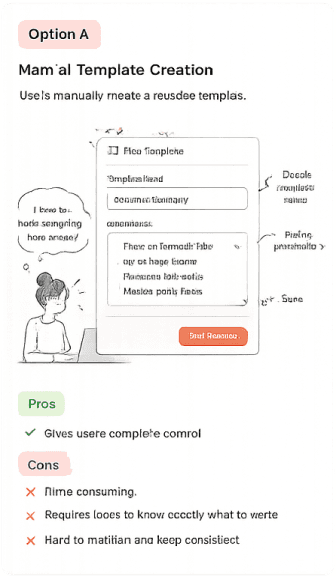
Manual Template Creation
Users manually create a reusable template.
File Template
Gives users complete control
Gives users complete control
Requires users to know exactly what to write
Hard to maintain and keep consistent
Template Name
Instructions
• Focus on financial risks
• Ignore legal clauses
• Maximum 300 words
• Mention policy limits
Executive Summary
Save Template
Decide parameters/fileds
Picking preset fields
Save
I have to manually create everything?

Reuse Conversation History
Reuse previously generated summaries and conversations from the workspace.
Conversation List
Executive Summary
Quarterly Report
Research Notes
Client Overview
Risk Assessment
Policy Review
Claims Analysis
Can you summarize this report focusing on financial risks?
Sure. Here is a summary...
Go a little deeper into
the technical findings.
Which conversation had the summary style I need?
Already available in the workspace
Contains lots of unrelated conversation
Users still need to find the useful instructions
Difficult to reuse consistently

Smart Template Extraction
AI extracts the summarization strategy from the conversation and converts it into a reusable template.
Extracted Parameters
Summary Type
Word Limit
Focus Areas
Exclude / Skip
Tone / Style
Professional Summary
Maximum 700 words
• dbbdvsdvhsbd
• jsdjsds
• jjjasgasgagsga
Legal Boilerplate
Professional & Concise
AI Conversation
The extracted parameters look good.
Captures the actual summarization strategy
Structured and reusable across documents
Users can review and edit extracted fields
THE EXPLORATION
Design Decision #2
Reduce Prompt Friction Through Direct Manipulation
THE QUESTION
“Why should users remember paragraph numbers just to edit two lines?”
THE DECISION
I replaced prompt-based editing with direct manipulation.
Users highlight content and immediately rephrase, shorten, elaborate, or remove text in context.
OUTCOME
Editing became faster because users interacted directly with content instead of describing where edits should happen.

Prompt based editing
❌ High cognitive load

Direct Manipulation
Lower Cognitive Load
THE PROBLEM
Editing required users to describe where changes should happen before they could make them. As summaries grew longer, prompts became slower.
THE EXPLORATION
Design Decision #1
Separate Instructions from Output
THE PROBLEM
Every regenerated summary created another long message.
Finding the latest version meant scrolling through multiple generations and comparing outputs manually.
THE DECISION
I separated instructions from outputs.
The conversation became a workspace for refinement, while the summary became a living document that continuously updated.
🔍 Search
📑 Extraction
⚠️ Risk Analysis
💬 AI Assistant
⭐ Summarization
The Opportunity
When exploring how AI could support document-heavy workflows, several directions were possible.
Possible Opportunities
Why Summarization?
Before users can
Search for specific information
Investigate potential risks
Ask meaningful questions
they first need to understand what a document contains.
That made summarization the highest-leverage place to begin.
Starting Point in the Workflow


The Problem
Reviewing insurance submissions wasn't the real problem.
Insurance professionals receive documents that can span hundreds or even thousands of pages.
At first glance, summarization seemed like the obvious solution.
But as I explored the problem further, I realized summarizing documents alone wouldn't actually solve users' workflow.
As I explored the problem, three questions stood out.
What happens after AI generates the first summary?
→ Users continue refining it until it matches their needs.
What happens when the next document arrives?
→ They repeat many of the same instructions from scratch.
Where was most of the time actually being spent?
→ Not creating the first summary, but repeatedly refining and recreating it.
This shifted the problem from
"How can AI summarize documents?"
to
"How can AI support the entire document review workflow?"
Key Challenges
01
Understanding takes too long
Large submissions made it difficult to quickly identify relevant information.
02
One summary wasn't enough
Users repeatedly refined summaries as their needs evolved.
03
Successful workflows couldn't be reused
The same instructions had to be recreated for every new document.
Designing an AI-Powered Document Intelligence Workflow
(Note : Due to confidentiality and intellectual property restrictions, certain product details, visuals, workflows, and business information have been modified or generalized. This case study focuses on the design process, decision-making, and problem-solving approach rather than proprietary implementation details.)
B2B SAAS AI
MY ROLE
Product designer
TEAM
Chief Product Officer (Stakeholder & Product Direction)
Engineering Team
Product Design Team
OUTCOME
Shipped to production
Adopted within the product ecosystem
Integrated into multiple workflows and products
A brief intro - AI Summation Tool
Insurance professionals often review documents spanning hundreds or even thousands of pages, making it difficult to quickly identify the information needed for decision-making.
I designed an AI-powered document intelligence workflow that helps users generate tailored summaries, refine them through natural language, and reuse successful workflows across future documents.
The solution was shipped to production and later adopted across multiple products within the platform.
Design Decision #3
From Manual Templates to Smart Template Extraction
THE QUESTION
“Users create similar summaries every day. How can we reuse that work without asking them to start from scratch?”
THE DECISION
Rather than asking users to manually create templates, I designed a workflow where AI extracts reusable summarization parameters from successful conversations.
Users stay in control by reviewing, editing, removing, or adding parameters before saving the template.
OUTCOME
A successful AI interaction became a reusable workflow instead of a one-time conversation.
THE PROBLEM
Underwriters often follow similar summarization strategies across multiple documents.
Manual templates seemed like the obvious answer, but creating and maintaining them added another task to an already document-heavy workflow.
Manual Template Creation
Users manually create a reusable template.
File Template
Gives users complete control
Gives users complete control
Requires users to know exactly what to write
Hard to maintain and keep consistent
Template Name
Instructions
• Focus on financial risks
• Ignore legal clauses
• Maximum 300 words
• Mention policy limits
Executive Summary
Save Template
Decide parameters/fileds
Picking preset fields
Save
I have to manually create everything?
Reuse Conversation History
Reuse previously generated summaries and conversations from the workspace.
Conversation List
Executive Summary
Quarterly Report
Research Notes
Client Overview
Risk Assessment
Policy Review
Claims Analysis
Can you summarize this report focusing on financial risks?
Sure. Here is a summary...
Go a little deeper into
the technical findings.
Which conversation had the summary style I need?
Already available in the workspace
Contains lots of unrelated conversation
Users still need to find the useful instructions
Difficult to reuse consistently
Smart Template Extraction
AI extracts the summarization strategy from the conversation and converts it into a reusable template.
Extracted Parameters
Summary Type
Word Limit
Focus Areas
Exclude / Skip
Tone / Style
Professional Summary
Maximum 700 words
• dbbdvsdvhsbd
• jsdjsds
• jjjasgasgagsga
Legal Boilerplate
Professional & Concise
AI Conversation
The extracted parameters look good.
Captures the actual summarization strategy
Structured and reusable across documents
Users can review and edit extracted fields
THE EXPLORATION
Design Principles Behind the Product
Keep users in control
Reduce cognitive load
Make successful work reusable
Separate conversation from deliverables
Design AI as a workflow, not a feature
Reflection
💡 What changed for me
This project changed how I think about designing AI products. AI isn't just about generating outputs, it's about designing workflows that help people understand, refine, and reuse information.
🚧 Biggest Constraint
I didn't have direct access to end users. Instead, I worked closely with product leadership and stakeholders, learning to ask better questions and validate decisions through continuous collaboration.
🌱 What I Learned
Working within constraints pushed me to think more critically, explore multiple directions, and make design decisions with incomplete information rather than waiting for perfect certainty.
🔭 What's Next
If I could continue this project, I'd spend more time observing users interact with the workflow. Seeing where they hesitate, adapt, or build trust would uncover insights stakeholder discussions alone can't reveal.
Impact
Outcome
Shipped to production
Adopted across multiple enterprise products
Integrated into existing AI workflows
Product Impact
Reduced repetitive prompting through reusable templates
Introduced direct summary editing for faster refinement
Turned one-time AI interactions into reusable workflows
What I Could Validate
While I didn't have access to usage metrics, the solution was adopted beyond its initial use case, demonstrating value across multiple workflows and laying the foundation for future AI capabilities.
This project reminded me that great product design isn't about having every answer from the start. It's about staying curious, embracing constraints, asking better questions, and continuously refining ideas alongside the people building the product.
✨